Concordance UX
AI-Assisted Data Mapping Workflow Redesign
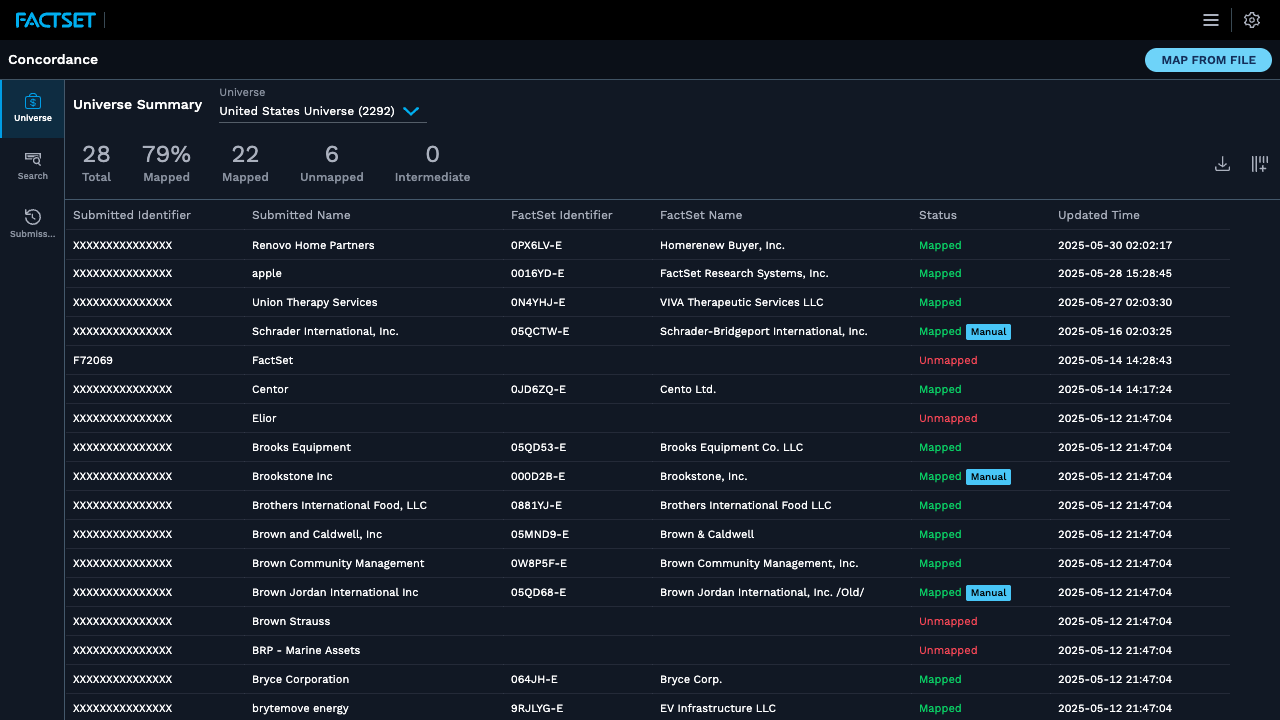
Concordance is FactSet's entity mapping tool — it allows clients to map their proprietary entity identifiers (companies, securities, people) to FactSet's standardised entity universe. This is a foundational workflow: everything downstream — analytics, research, data exports — depends on accurate mapping.
The existing tool required significant manual effort: users had to manually configure column mappings, interpret dense result tables, and manage complex configuration files. I was brought in to redesign the workflow with an AI-assisted approach and a significantly improved UX.
Lead UX Designer. I designed the end-to-end redesigned workflow, built an interactive Vue prototype to validate with users, and documented expected behaviors and workflow annotations for engineering handoff.
Concordance users — typically data operations and quantitative analysts — face several compounding friction points:
- Column mapping confusion: Users had to manually specify which column in their file corresponds to which FactSet field — no AI assistance, no preview of what the mapping would produce
- No sample preview: Users couldn't see what their mapped data would look like before running a job — leading to expensive re-runs
- V1 vs V2 ambiguity: Two config modes existed (legacy V1 and new V2) with no clear guidance on which to use or how they differed
- File-driven workflow opaque: Uploading a file to map from required understanding hidden column conventions
Design Problem: How can we make entity mapping feel predictable and correct — reducing user errors and re-runs while preserving the power of the advanced configuration?
A 70vw-default right-side drawer shows a live preview of what mapped results look like — before the user commits. Resizable to compare their input and output side by side.
A guided "Map From File" feature with column type selection — the system reads the file header and suggests which columns correspond to which FactSet fields, with user confirmation before proceeding.
Explicit mode selection with plain-language descriptions of when to use V1 (legacy integrations) vs V2 (recommended, full-feature). Configuration is managed in a dedicated panel, not inline.
Improved universe selection with clear labelling, search, and a preview of what entities are included — reducing the "I mapped to the wrong universe" support requests.
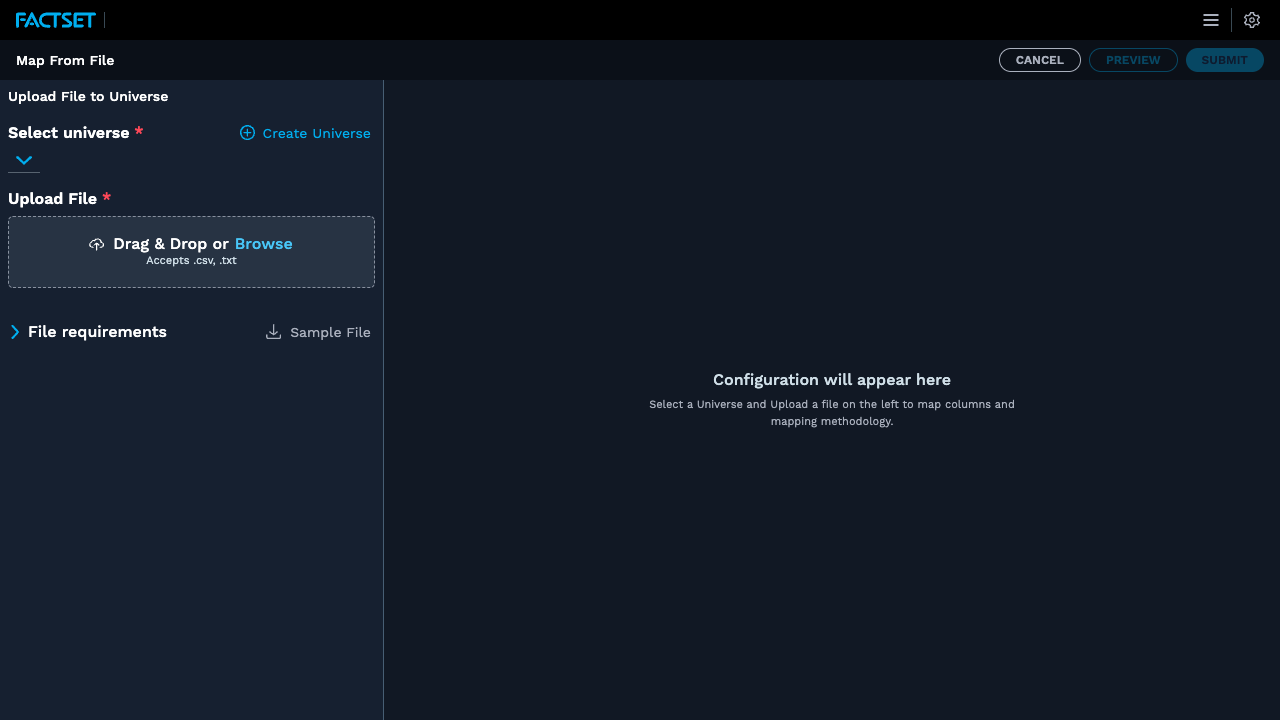
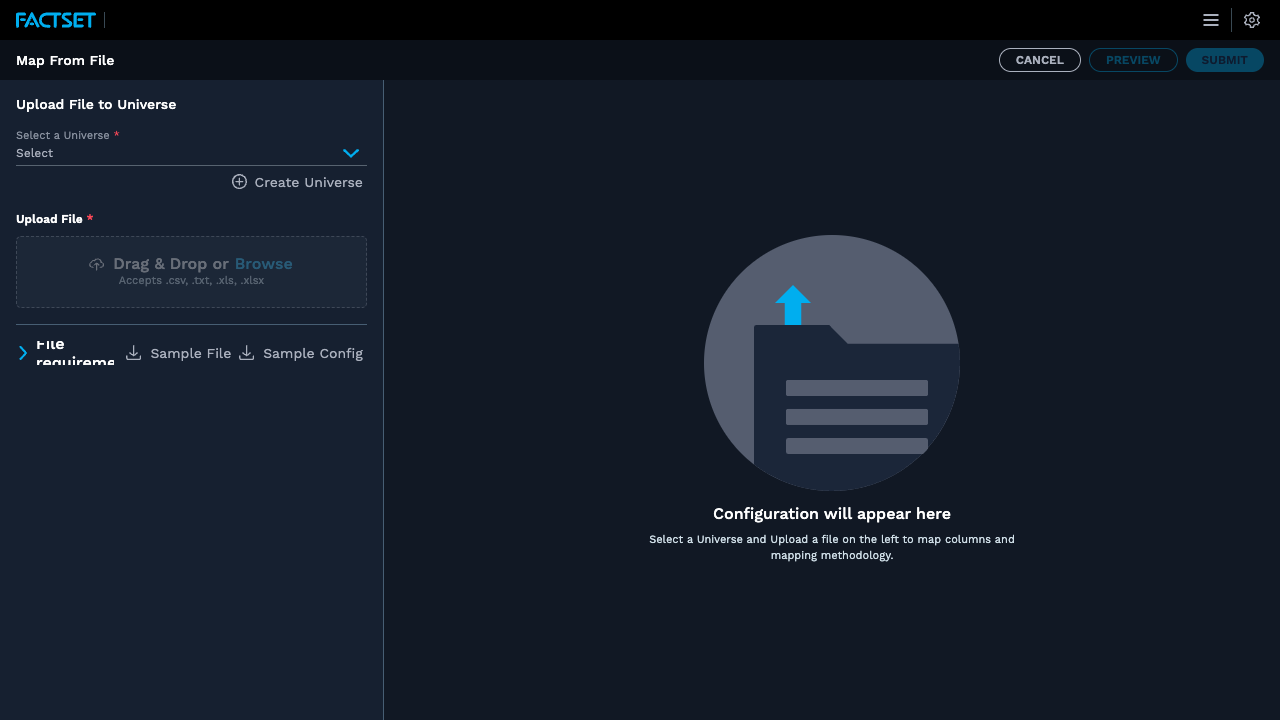
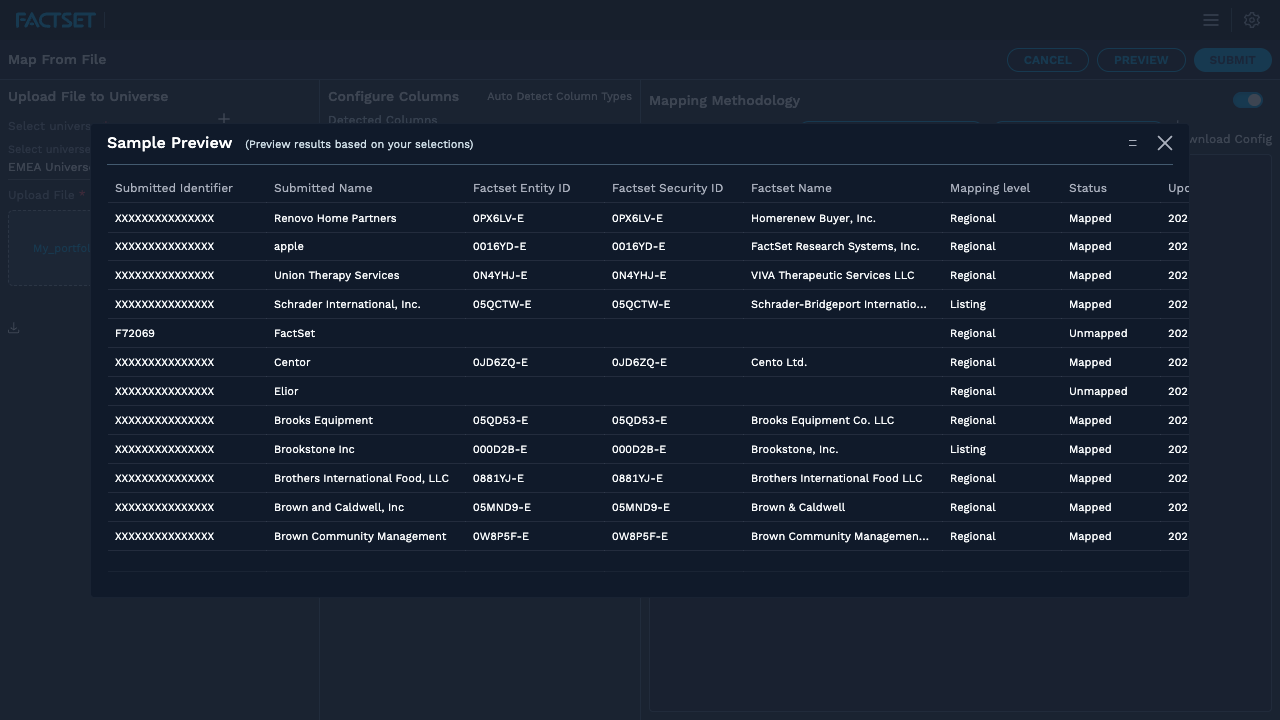
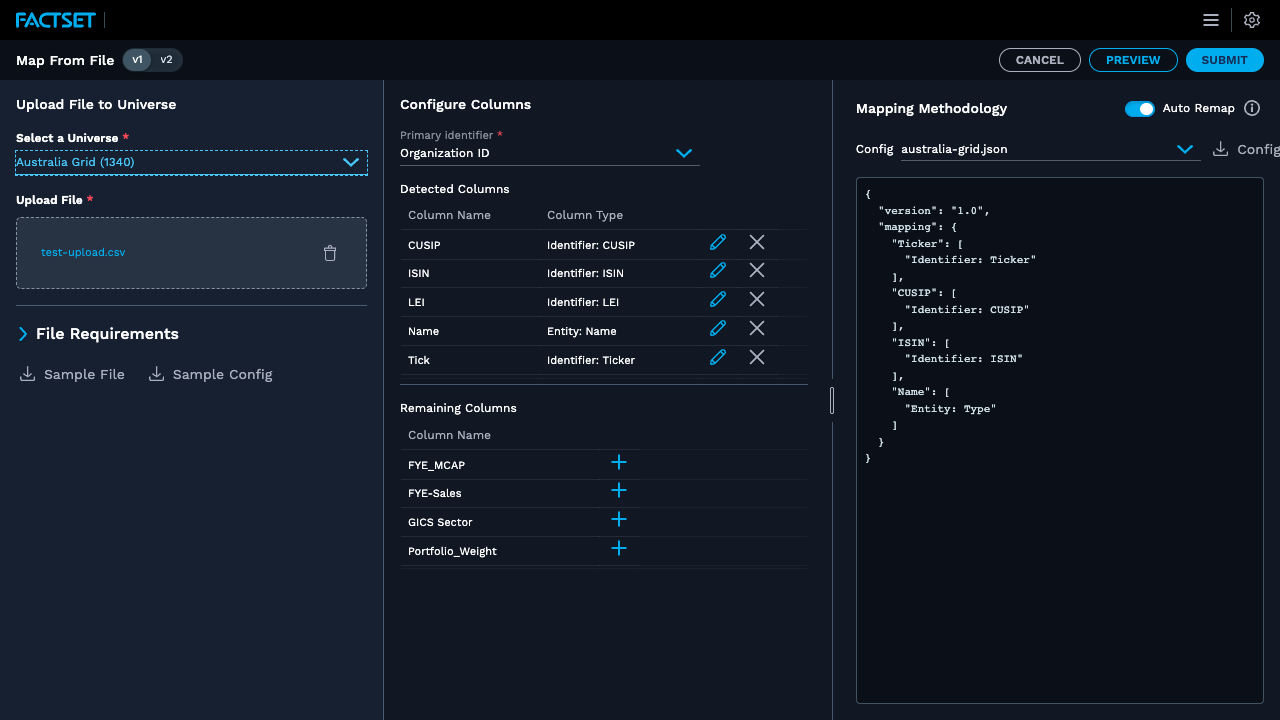
I built the redesigned workflow as a fully interactive Vue prototype with realistic mock data — 50+ entity records — so users could complete the full mapping journey in testing sessions without needing a live backend.
- Full column mapping flow with type detection suggestions
- Resizable preview drawer at 70vw default with drag-to-resize handle
- V1 and V2 config modes both implemented and switchable
- Workflow annotations and expected behaviors documented inline
- Reduced mapping errors: Sample preview lets users catch problems before committing — validated in usability testing where 4/5 participants caught a mapping error they would have missed in the old flow
- Faster setup: Map From File with AI column suggestions reduced time-to-first-mapping by an estimated 60%
- Engineering clarity: Workflow annotations and the interactive prototype gave engineering a clear, unambiguous implementation target
- Config confidence: V1/V2 clarity eliminated the most common "which mode do I use?" support question
View Other Projects
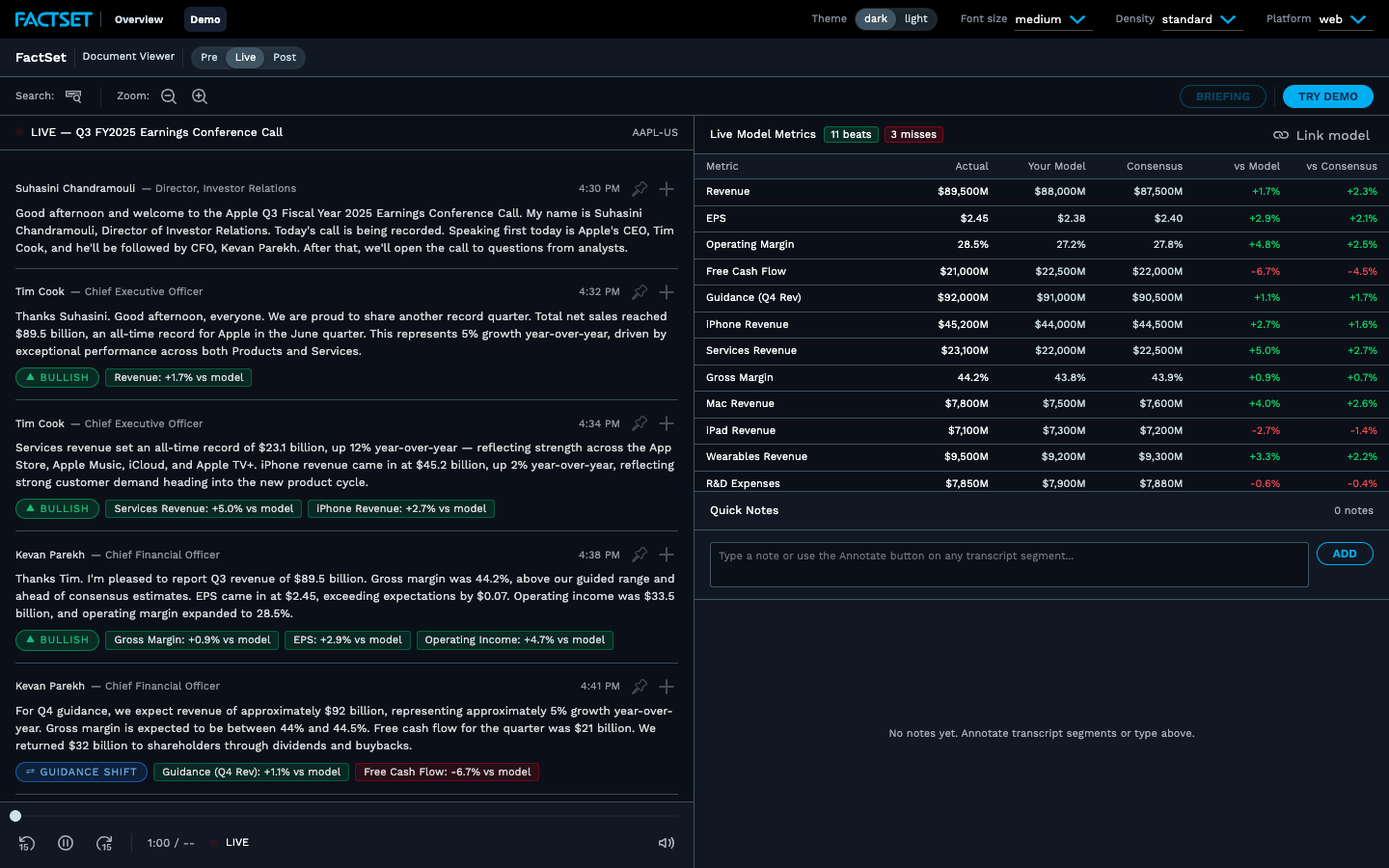
Earnings War Room
A live coded prototype consolidating transcripts, AI analysis tiles, and PM briefing generation.
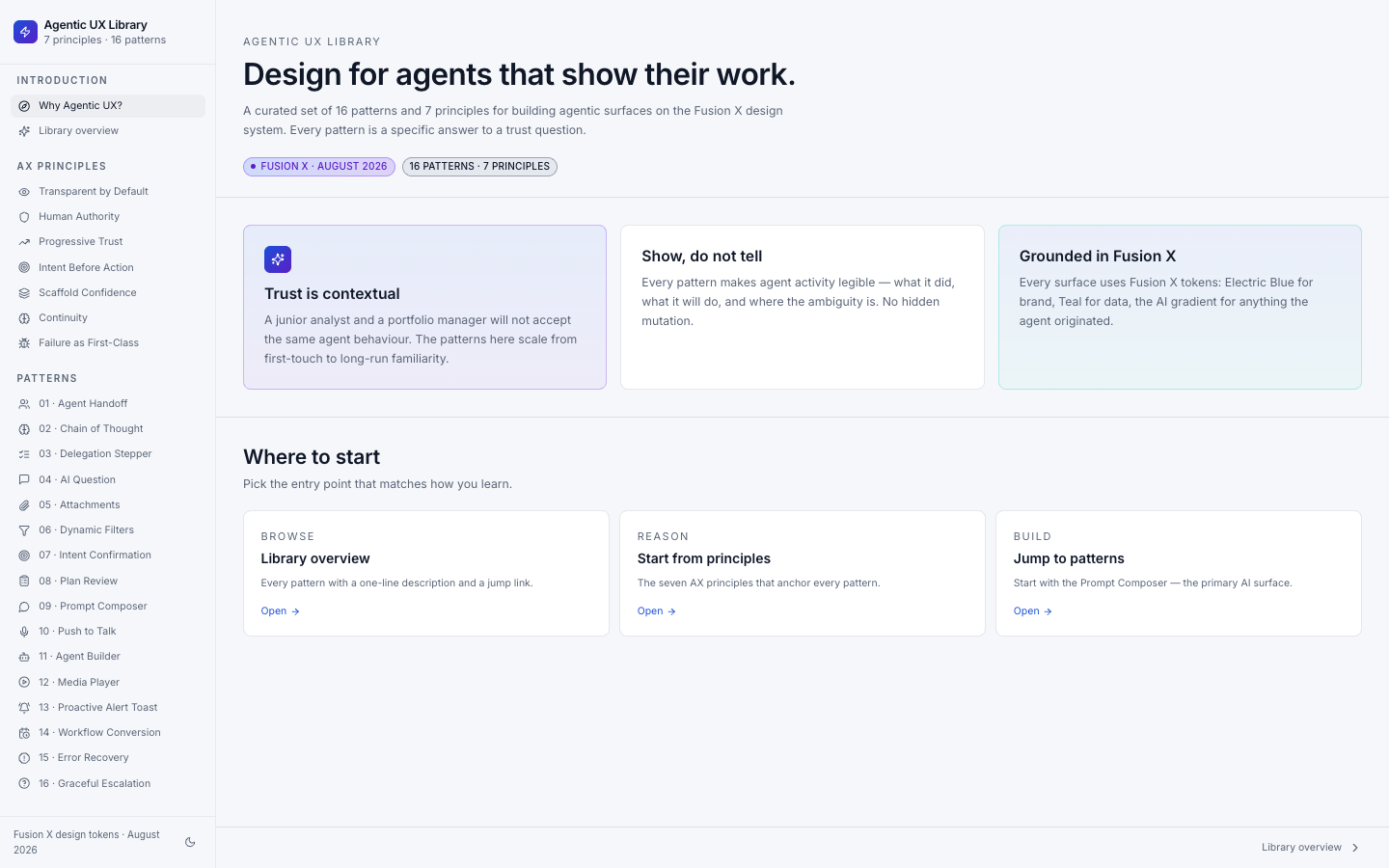
Agentic UX Principles & Patterns
Documented and published a set of design patterns for agentic UX — used as a reference across the team.