UX Design AI Initiatives
AI-Powered Tools Built for the FactSet UX Team
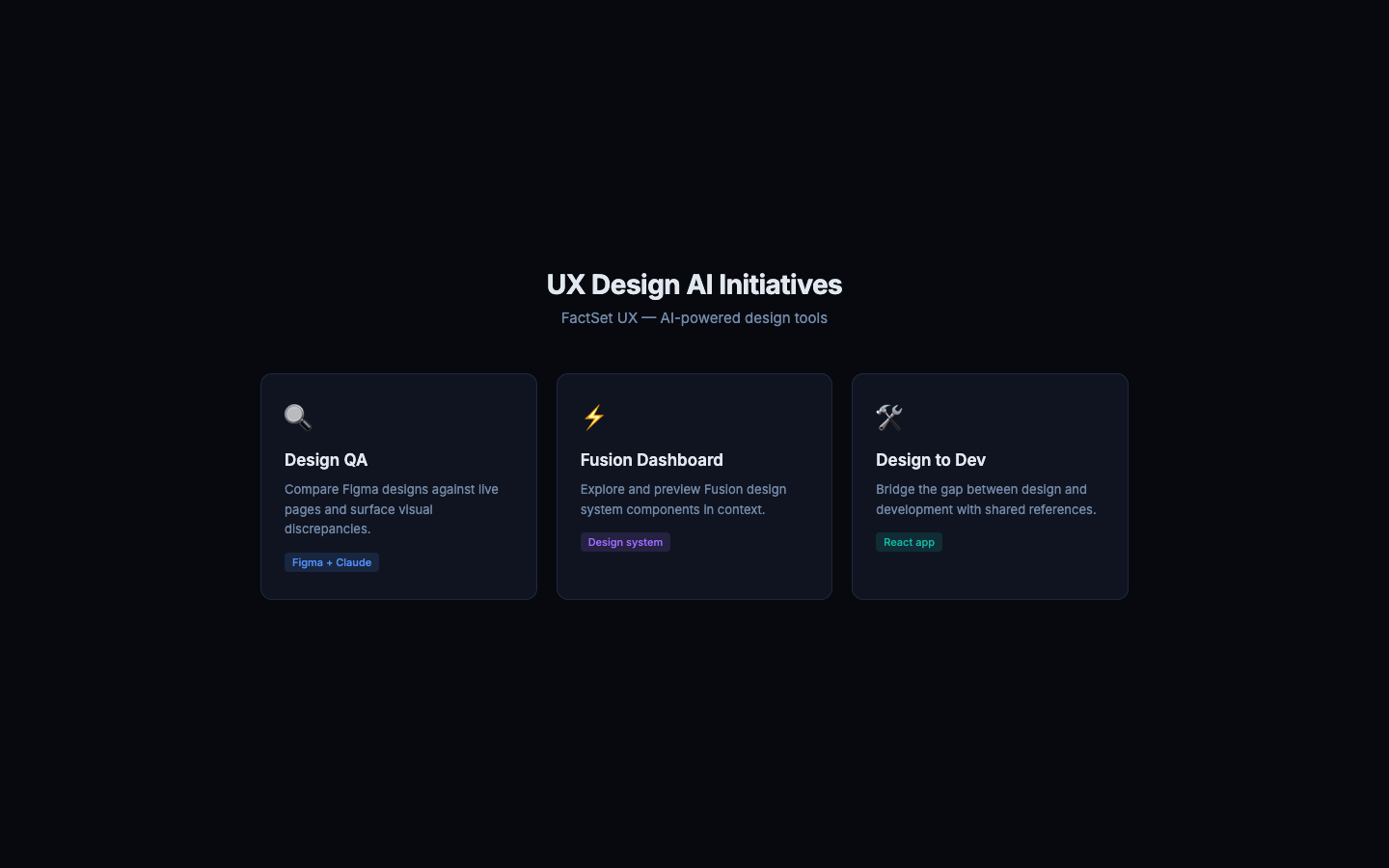
As AI tooling matured at FactSet, the UX team needed purpose-built tools to work faster, collaborate more effectively with developers, and leverage AI in their daily workflow. Rather than waiting for these to be handed down, I built them.
UX Design AI Initiatives is a live platform of three AI-powered tools — deployed on FactSet.io — that address the most time-consuming friction points in the UX-to-engineering handoff.
Designer, product owner, and engineer. I identified the problems, designed and built all three tools, and deployed the platform. The tools are used by the FactSet UX team.
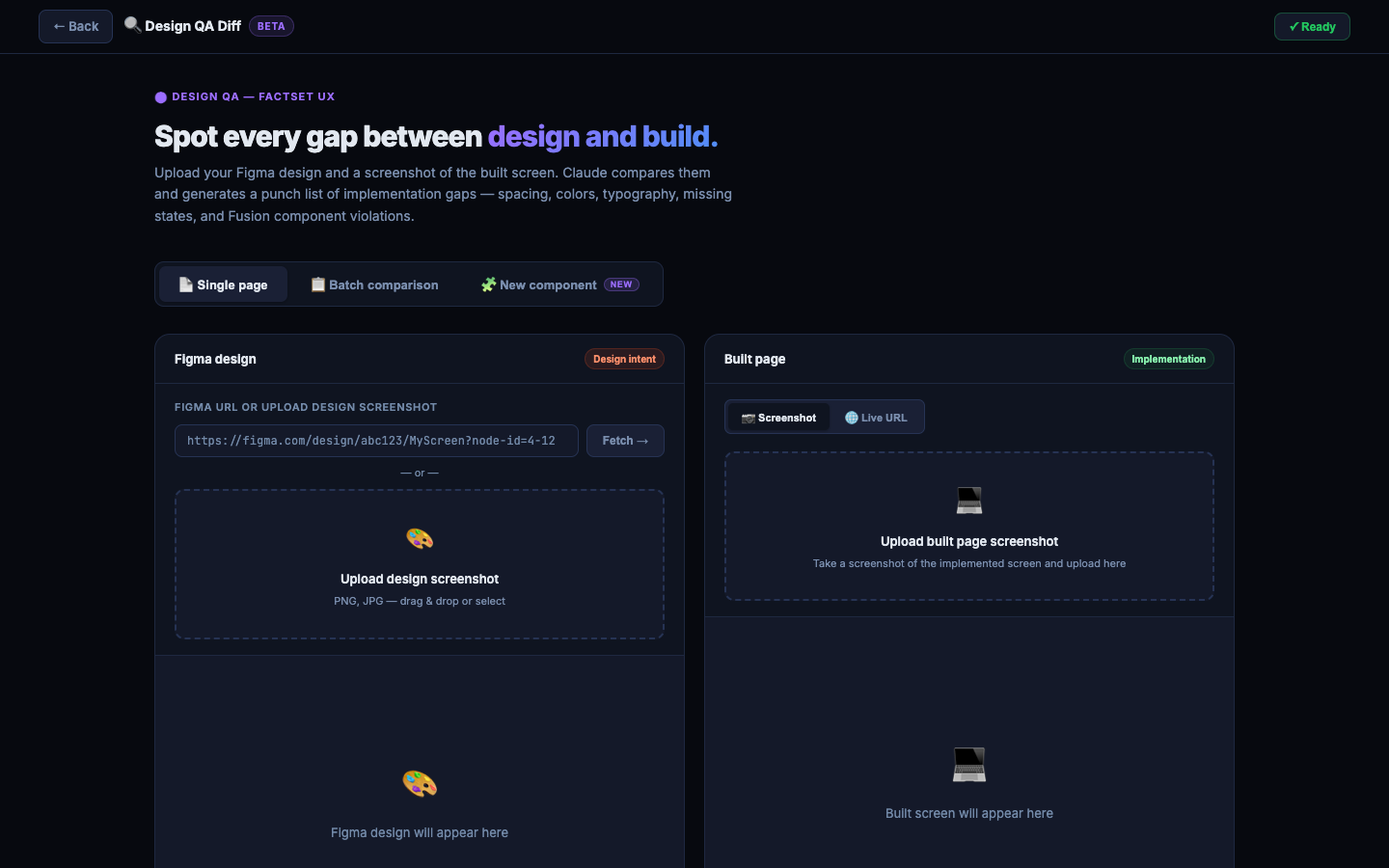
One of the most expensive phases in handoff is QA — designers manually comparing their Figma designs against what engineering actually built, screen by screen. Design QA automates this.
How it works:
- Designer uploads a screenshot from Figma and a screenshot of the built page
- Claude analyses the visual diff and surfaces discrepancies — spacing, colour, typography, missing elements
- Issues are flagged by severity: critical, medium, minor
- The output is a structured QA report, ready to share with engineering
Impact: What used to take a designer 2–3 hours of side-by-side comparison now takes minutes — and catches issues that eyes miss after hours of review.
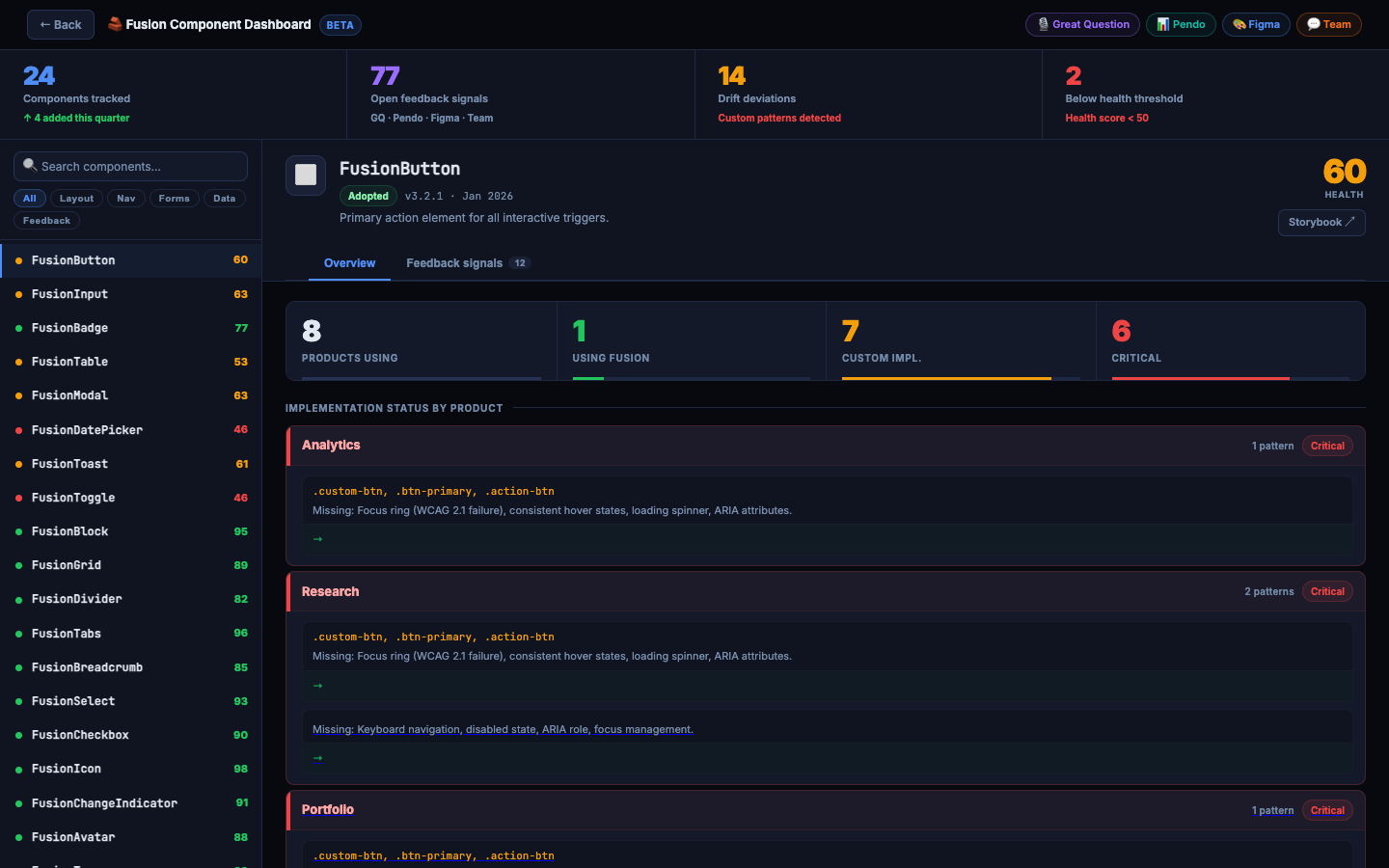
The Fusion Design System has 100+ components. Designers and developers struggled to know which components were actually in use, where, and at what adoption rate — leading to duplication and inconsistency.
What the dashboard shows:
- Component usage data sourced from Great Question, Pendo, Figma, and team research
- Adoption rate per component across FactSet products
- Visual previews of components in their real product contexts
- Quick links to Storybook documentation for each component
Impact: Designers can now make evidence-based decisions about which Fusion components to reach for — and product teams can identify components that need consolidation or retirement.
The handoff gap between design and engineering is cultural as much as it is technical. Designers didn't understand how developers build with Fusion components, and developers didn't know the design intent behind specs.
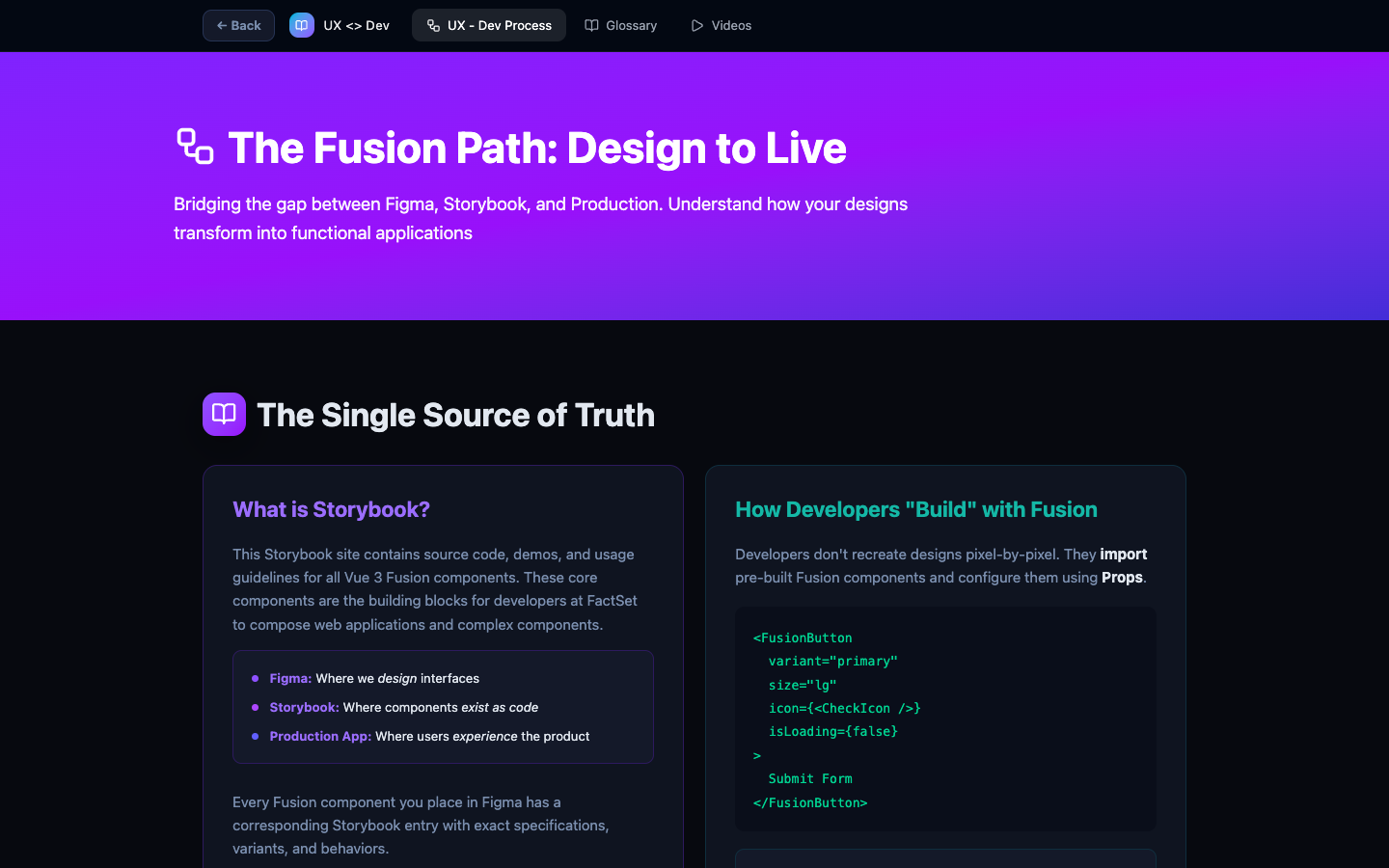
Design to Dev is a shared reference — built as a React + Vite app — that covers four areas:
How designs move from Figma → Storybook → production. Explains the role of each stage in plain language for designers.
Developer terms — props, variants, states, tokens, imports — explained for designers without jargon.
A step-by-step guide to how designers use Claude Code to generate working Fusion prototypes from their Figma designs.
Short video walkthroughs of the Fusion Foundry workflow — designers building coded prototypes using Claude.
The 5-step Claude workflow documented in the tool:
Design in Figma
Build high-fidelity designs using Fusion components as normal.
Describe your design to Claude
Share your Figma file or describe the component. Claude generates a working code prototype.
Iterate in conversation
Adjust spacing, swap components, add states — all in natural language.
Hand off the prototype
Engineering integrates the working prototype with backend APIs instead of interpreting static specs.
Review what was built
QA against your original design — fewer gaps because the prototype came from your own specs.
Impact: Designers across the team report significantly faster prototyping cycles and fewer engineering misalignments after adopting the Claude workflow documented here.
- Design QA time cut from hours to minutes — AI-powered diff analysis replaces manual side-by-side comparison
- Component adoption is now data-driven — the Fusion Dashboard gives the team evidence to make consolidation and deprecation decisions
- The handoff gap is narrower — Design to Dev gives designers and developers a shared language and a concrete workflow
- Deployed and actively used — live on FactSet.io, accessible to the full UX team with no setup required
View Other Projects
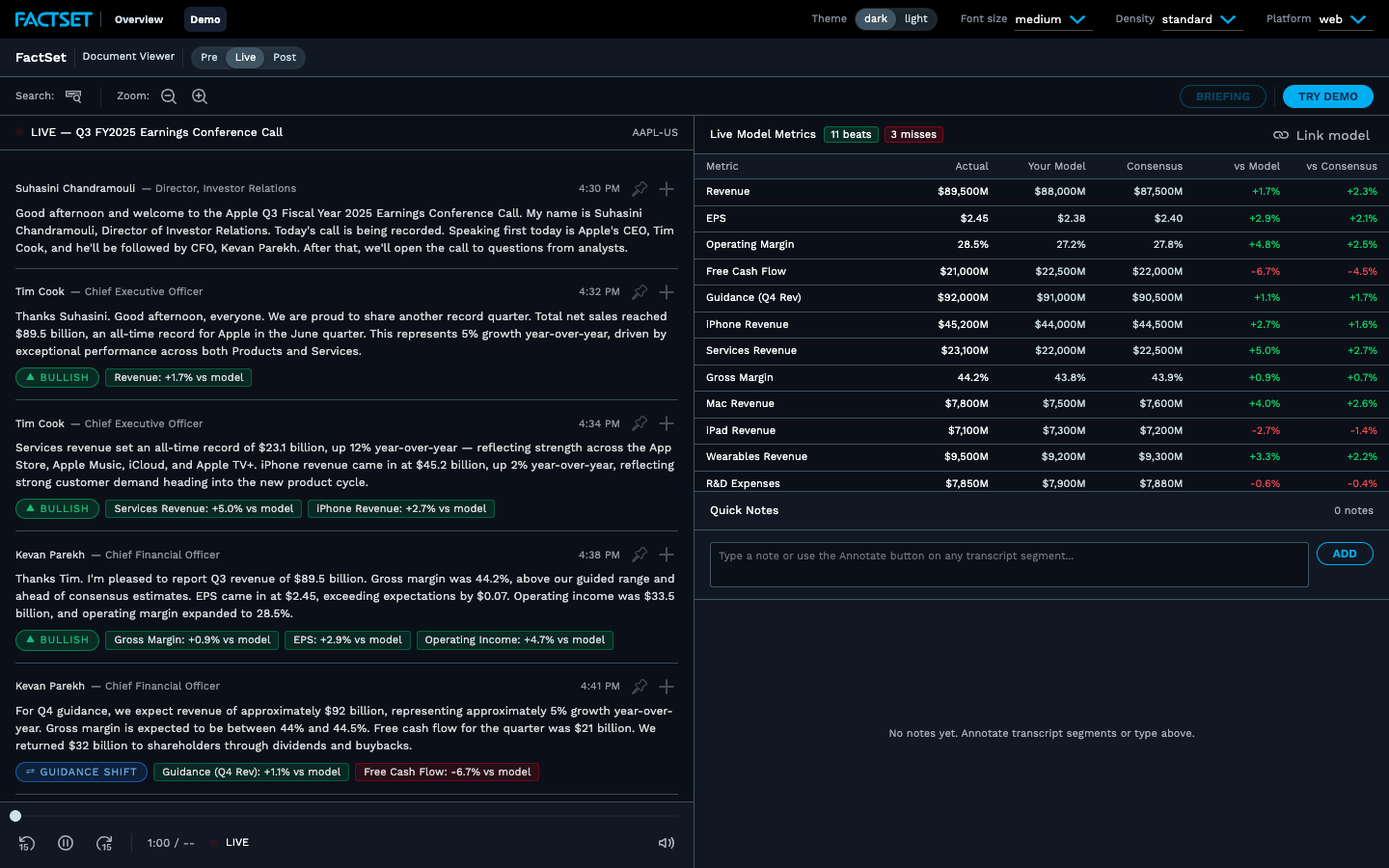
Earnings War Room
A live coded prototype consolidating transcripts, AI analysis tiles, and PM briefing generation.
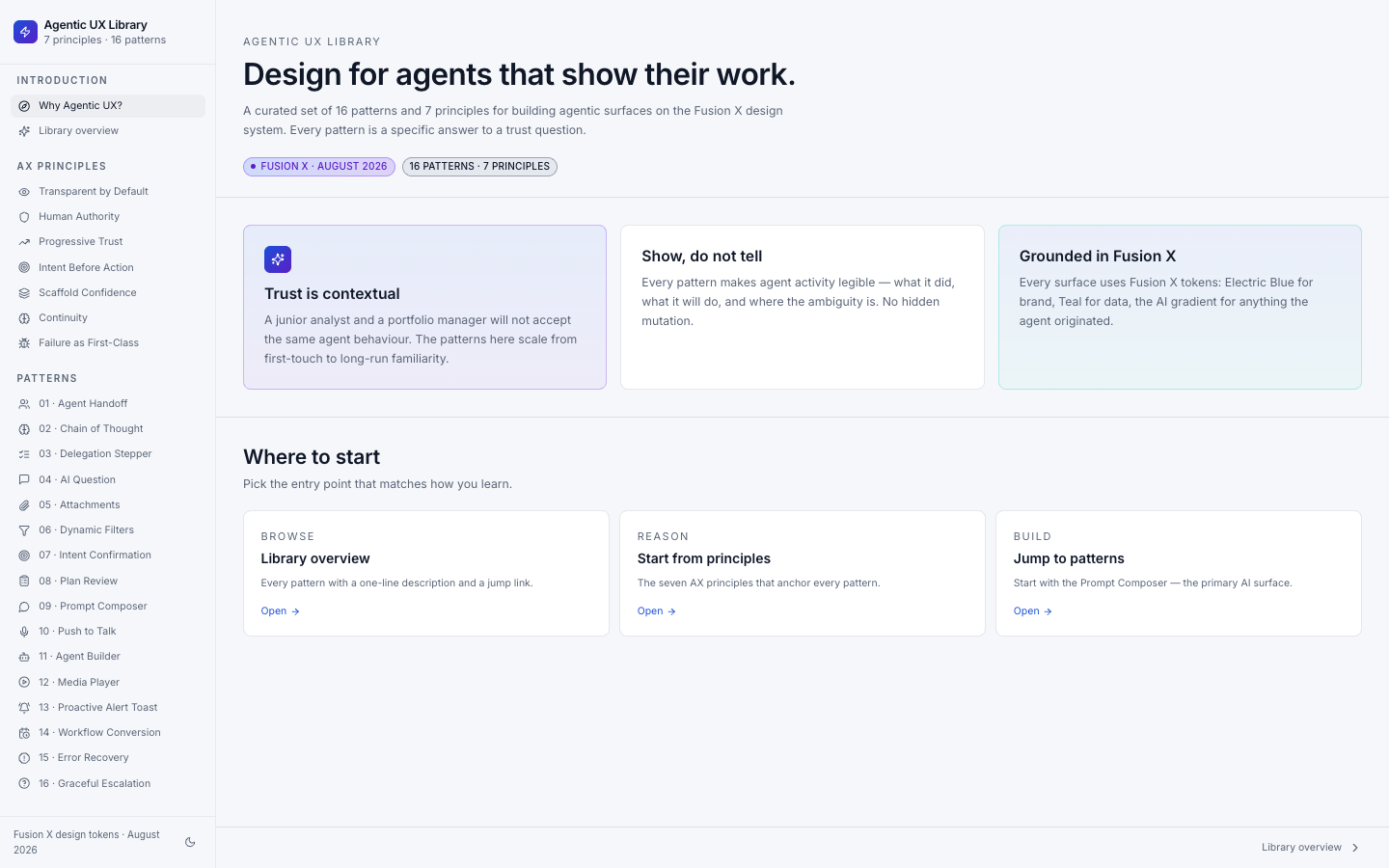
Agentic UX Principles & Patterns
Documented and published design patterns for agentic UX — a living reference for the team.